Feature #31
open
Another set of Forward/Back buttons
Added by Mike Atherton over 2 years ago.
Updated over 2 years ago.
Description
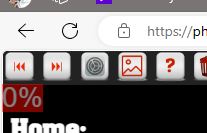
I have not been able to determine if there is an ROI to tagging but if there is, a second set of Forward/Backward buttons above the Away team would speed the process up immensely. The flow would then be from left(home) to right(away) then up to the forward button. Much faster. See attached.
Files
You want a button to change home/away?
Would you prefer to use just the short-keys H## and A## or H#{space} and A#{space}?
When I do home/away only I do the full game of photos and then go back to the beginning and start over with the other team. I am planning a prompt to go back to start and tag the other team when the radio button is selected.
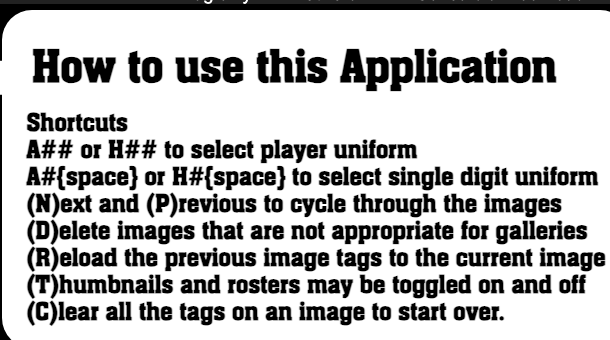
Oh so you can use "N" for next and "P" for previous... I'm a keyboard user and find that typing is 5-15x faster than mousing around.
- Project changed from d3photography.com to Photo Tagging
- Subject changed from Feature-Tagging - Another set of Forward/Back buttons to Another set of Forward/Back buttons
- Target version set to v1 build 10
Moved to new Photo Tagging section
Please provide further detail.
It may sound trivial but as I work from left to right on the screen the next photo button is back on the top left side of the screen. I find that it slows the user down significantly. But if there were an identical set of forward/backward buttons on the top right side of the screen the flow would be much faster.
This may exist already but something like Cntrl N or P might be even faster.
This assumes that there is a benefit to tagging. I'm not sure how I can tell.
- Estimated time set to 3:00 h
Mike Atherton wrote in #note-5:
This may exist already but something like Cntrl N or P might be even faster.
Those items in the image are just based on the letters; no modifier keys used as those are harder to consistently override from browser to browser.
I have never used the navigation on the page except to test functions. I have used the gearbox to repair roster issues, though.
An alternative stylesheet could be implemented but I recommend using the N and P keystrokes.
Also available in: Atom
PDF